01
Single-monitor desk arms
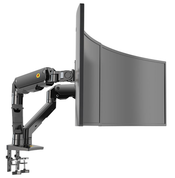
Adjustable arms for one monitor, with the viewing position and range matched to the user and work surface. Check the arm’s supported load range as well as the monitor fixing pattern.

AV mounting & structures · Malaysia
Choose a desk-mounted monitor arm or laptop-tray arrangement for the workstation. Match the screen and accessories to the arm, and the clamp or through-desk fixing to the actual desk.
Mounting options
Desk supports are selected around the working position, monitor arrangement and desk construction. A wall arm and a desk-clamp arm use different fixing methods.
Adjustable arms for one monitor, with the viewing position and range matched to the user and work surface. Check the arm’s supported load range as well as the monitor fixing pattern.
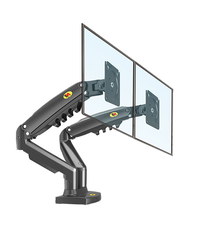
Two or more displays on a defined desk support. Confirm each screen’s weight and dimensions, the intended side-by-side or stacked layout and whether the arms can reach those positions without interference.
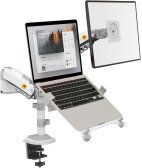
A compatible tray can support a laptop within the specified arm or workstation arrangement. Confirm the laptop size, tray retention, ventilation and the load including the tray; accessories are configuration-specific.
Choose the fixing method around desk thickness, edge access, cable trays, rear clearance and the construction beneath the finish. A convenient clamp position still needs a suitable supporting surface.
Before quotation
Send equipment details and site photographs or drawings so the mounting scope can be matched to the actual installation.
Models, quantity, weight without the original base, fixing pattern and the proposed tray or adapter.
Desk material and thickness, edge profile, clamp access or suitable through-desk position.
Viewing height, reach, screen alignment, seating positions and any shared-workstation adjustment.
Power, video and USB cable slack, docking equipment and clearance throughout the arm movement.
Questions
No. Check the tray interface and the arm’s supported load range, including the tray and laptop. Use a verified compatible arrangement.
No. Confirm the monitor weight, mounting pattern, required movement and the desk fixing arrangement. The same diagonal screen size can have different weight and geometry.
Use the wall-mount bracket category. Wall and desk arms may offer similar adjustment but attach to different supporting surfaces.
Related mounting requirements
Send the equipment models, quantity, proposed position, required movement and site photographs or drawings. PNSS will confirm the appropriate product or custom-work scope.