Natural writing
Designed for pen-based annotation, brainstorming and collaborative ideation.

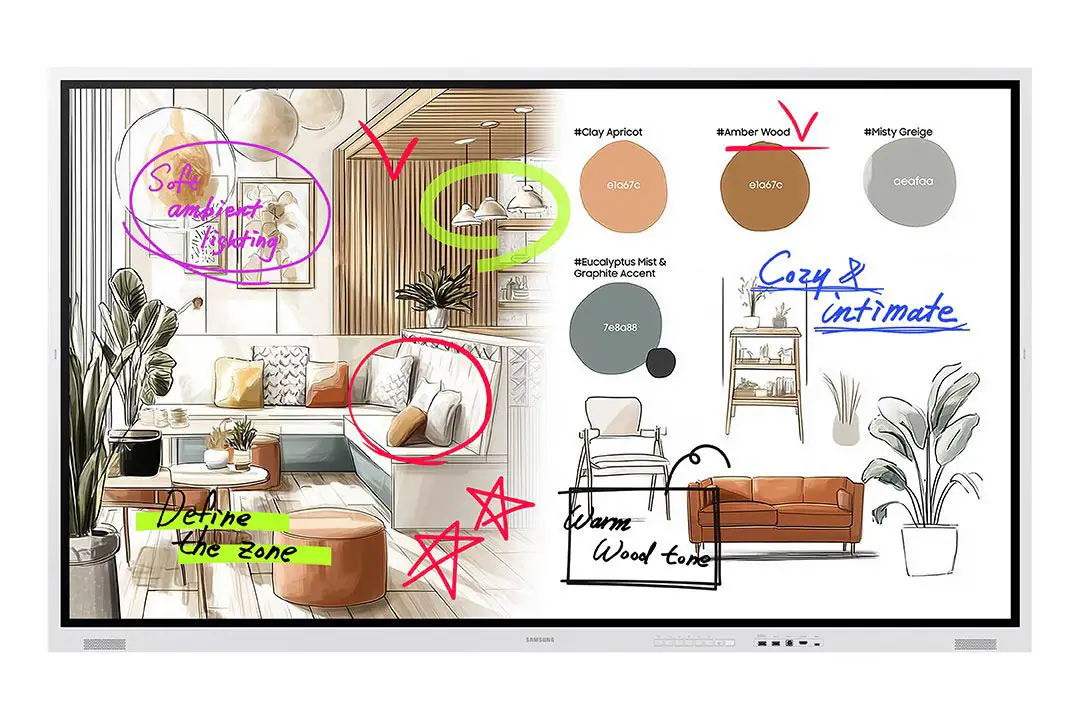
Official Samsung product/series imagery and application imagery. The technical data and Malaysia model code shown on this page apply to the selected model.
Samsung WMFX Series · Flip Pro
65″ Samsung Flip collaborative display with 4K UHD, Tizen 9.0, natural writing and enhanced whiteboard features.
Choose another WMFX Series option
Key capabilities
Designed for pen-based annotation, brainstorming and collaborative ideation.
Built-in collaborative canvas for meetings, training and design discussions.
Integrated Samsung platform with 64GB flash memory.
Professional security capabilities for managed business environments.
HDMI, USB, LAN, Wi-Fi and Bluetooth support presentation workflows.
Appropriate where whiteboarding and direct interaction matter more than all-in-one classroom camera/microphone hardware.
Technical reference
| Model | WM65FX |
|---|---|
| Malaysia model code | LH65WMFWBGCXXS |
| Screen size | 65″ (64.5″ class) |
| Panel type | VA |
| Resolution | 3840 × 2160 (4K UHD) |
| Pixel pitch | 0.372 mm |
| Brightness | 450 nit without glass |
| Contrast ratio | 4,000:1 |
| Viewing angle | 178° / 178° |
| Response time | 8 ms |
| Operation support | 12/7 |
| Set dimensions (W × H × D) | 1522.4 × 897.6 × 62.9 mm |
| Set weight | 39.7 kg |
| Package dimensions | 1691 × 1055 × 198 mm |
| Package weight | 48.2 kg |
| VESA mount | 400 × 400 mm |
| On-mode power | 192.5 W |
| Operating system | Tizen 9.0 |
| Flash memory | 64GB |
Specifications are based on Samsung official documentation for the listed model/SKU and may be updated by the manufacturer. Current Malaysia availability, accessories and warranty terms should be verified at quotation stage. Samsung Malaysia WMFX reference ↗
Connectivity & integration
| HDMI inputs | 2 (rear + optional tray architecture) |
|---|---|
| HDMI version | 2.0 |
| USB | Rear + optional tray USB |
| Network | RJ45 LAN |
| Control | RS232 |
| Wireless | Wi-Fi + Bluetooth |
| Touch | IR touch |
Application guidance
Meeting rooms, design reviews, training spaces and collaboration areas that prioritise natural writing and whiteboarding.
WM65FX is the newer 65-inch Flip-format model, but it should not be treated as a blind drop-in replacement. Compare brightness, Tizen version, storage, duty cycle, connectivity and accessories first. Read WM65B vs WM65FX →
System dependencies
A product is only one part of the deployment. Confirm the supporting components and infrastructure before final model selection or installation.
Dependency links are planning paths, not automatic compatibility claims. Exact model/SKU, interfaces, loading, firmware/software and accessories must be verified for the final project.
Physical integration
Confirm structure, VESA/load and service access for fixed or mobile deployment.
Open related area →Display workflow
Confirm writing, screen sharing, optional compute and connected-device workflow.
Discuss display workflow →Compatibility check
Confirm USB-C/HDMI/network and optional compute/OPS requirements only where supported by the selected model.
Product family navigation
Return to Samsung Flip Pro, continue to the relevant solution, or open a selection guide without losing product context.
New project / active selection
Use the parent family and solution links to compare application fit. Current Malaysia availability, exact SKU, warranty terms and compatible accessories should be verified at quotation stage.
Existing installed product
Already installed? Identify the exact model and condition first, then verify lifecycle, parts/software support and the practical repair or migration path.
Open legacy & replacement support →Project selection should consider application requirements, display or LED sizing, mounting, signal distribution, network infrastructure, content management and service access together.
