
Samsung Business Monitors · Full HD

Samsung Full HD Monitor Guide

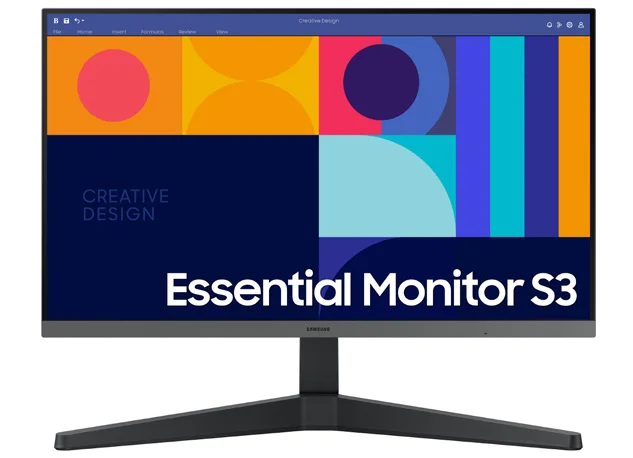
For routine administration, office applications and cost-controlled workstation fleets, Samsung’s Essential Monitor S3 S33GC provides a straightforward Full HD reference.

24″ / 27″Reference sizes
1920 × 1080Full HD
IPSPanel
100HzRefresh rate

Current reference models

Choose the S33GC size

Samsung Malaysia reference model

24″ Essential Monitor S3 S33GC FHD

Model code: LS24C330GAEXXS

  • 1920 × 1080 Full HD
  • IPS panel · 250 cd/m²
  • 100Hz · 4ms GTG
  • HDMI · DisplayPort · VESA 75 × 75

Practical compact Full HD reference for general office, administration and standard workstation deployments.

Samsung Malaysia reference model

27″ Essential Monitor S3 S33GC FHD

Model code: LS27C330GAEXXS

  • 1920 × 1080 Full HD
  • IPS panel
  • 100Hz refresh rate
  • HDMI · DisplayPort

Larger Full HD option for users who prefer a bigger physical display while keeping standard desktop compatibility.

Where Full HD still fits

General administration: email, browser systems, office documents and routine business applications.

Fleet deployment: familiar resolution and modest graphics requirements simplify standard workstation rollouts.

Consider QHD instead: when users need noticeably more workspace, sharper detail or larger screen sizes for intensive daily work.

System dependencies

Complete the workstation deployment

A product is only one part of the deployment. Confirm the supporting components and infrastructure before final model selection or installation.

Dependency links are planning paths, not automatic compatibility claims. Exact model/SKU, interfaces, loading, firmware/software and accessories must be verified for the final project.

Compatibility check

Host-device capability

Confirm GPU/port capability, resolution, refresh and docking requirements for the intended workstation.

Physical integration

Desk / mounting arrangement

Verify stand, arm/VESA support and ergonomic workspace requirements where applicable.

Open related area →

Adjacent category

Business display portfolio

Return to the wider Samsung display portfolio when the application requires signage or managed displays.

Open related area →

Selecting for a new project

Choose from the family, then verify availability

Use the listed models as the selection path. Exact Malaysia SKU, stock/channel status, warranty terms and accessories should be verified at quotation stage.

Maintaining an installed system

Do not assume an older model must be replaced

For installed systems, the appropriate path depends on product identification, supportability, compatibility and condition; the outcome may be repair, continued use, phased replacement or migration.

Assess an installed product →

Need a practical standard office monitor?

Current Malaysia stock, warranty route and workstation size should be verified against the intended deployment.

PNSS AI diamond mascot