Self-service platform
Designed for ordering, payment, check-in, ticketing and information workflows.

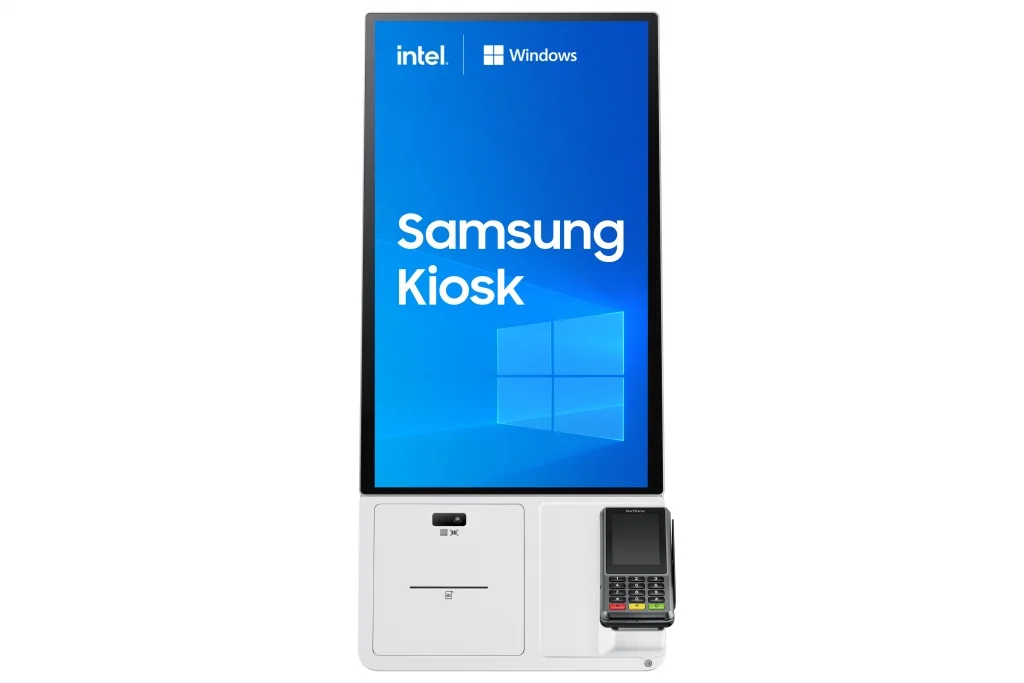
Official Samsung KMC Windows Kiosk family imagery. KM24C-5 shares the KMC physical platform; processor configuration distinguishes the i3 and i5 models.
Samsung Kiosk Range · Kiosk
24-inch self-service kiosk platform using Windows 10 IoT Enterprise, designed for modular ordering, payment and information workflows.
Key capabilities
Designed for ordering, payment, check-in, ticketing and information workflows.
Supports configurations involving card terminal, barcode, QR code, NFC and printer modules, subject to regional accessories and system integration.
Countertop, floor-stand and wall-mount deployment can suit different customer-flow environments.
24-inch Full HD capacitive-touch platform designed for repeated user interaction.
Remote management and application administration can be planned as part of the kiosk solution.
PNSS can coordinate kiosk hardware with payment, network, application, printer/scanner, mounting and support requirements.
Technical reference
| Model | KM24C-5 |
|---|---|
| Malaysia model code | LH24KMC5BGCXXS |
| Screen size | 24″ |
| Panel type | ADS |
| Resolution | 1920 × 1080 |
| Brightness | 250 cd/m² typ. without glass |
| Contrast ratio | 1,000:1 without glass |
| Viewing angle | 178° / 178° |
| Response time | 14 ms |
| Operation support | 16/7 |
| Set dimensions (W × H × D) | 547.9 × 334.4 × 48.8 mm |
| Set weight | 4.3 kg |
| Package dimensions | 620 × 419 × 122 mm |
| Package weight | 5.7 kg |
| On-mode power | 88 W |
| Sleep power | 0.5 W |
| Operating system | Windows 10 IoT Enterprise |
| Storage | 256GB |
| Processor | 11th Gen Intel Core; embedded processor varies by model |
Specifications are based on Samsung official documentation for the listed model/SKU and may be updated by the manufacturer. Current Malaysia availability, accessories and warranty terms should be verified at quotation stage. Samsung Malaysia product reference ↗
Connectivity & integration
| Touch | Capacitive touch |
|---|---|
| Mounting | Countertop / floor stand / wall-mount options |
| Peripheral concept | Payment terminal / QR-barcode / NFC / printer depending on configuration |
| Network | Managed network integration |
| Platform | Windows 10 IoT Enterprise |
Application guidance
Retail ordering, self-service payment, visitor check-in, ticketing and information applications where a compact 24-inch kiosk is appropriate.
System dependencies
A product is only one part of the deployment. Confirm the supporting components and infrastructure before final model selection or installation.
Dependency links are planning paths, not automatic compatibility claims. Exact model/SKU, interfaces, loading, firmware/software and accessories must be verified for the final project.
Physical integration
Confirm floor/wall placement, access, stability and surrounding user space.
Open related area →Application context
Define the kiosk application/content and management workflow before deployment.
Open related area →Compatibility check
Verify network, power and any peripherals against the selected kiosk configuration.
Product family navigation
Return to Samsung Kiosk, continue to the relevant solution, or open a selection guide without losing product context.
New project / active selection
Use the parent family and solution links to compare application fit. Current Malaysia availability, exact SKU, warranty terms and compatible accessories should be verified at quotation stage.
Existing installed product
Already installed? Identify the exact model and condition first, then verify lifecycle, parts/software support and the practical repair or migration path.
Open legacy & replacement support →Project selection should consider application requirements, display or LED sizing, mounting, signal distribution, network infrastructure, content management and service access together.
