Single-cable installation
PoE reduces tabletop cabling and simplifies placement when the room network is designed correctly.

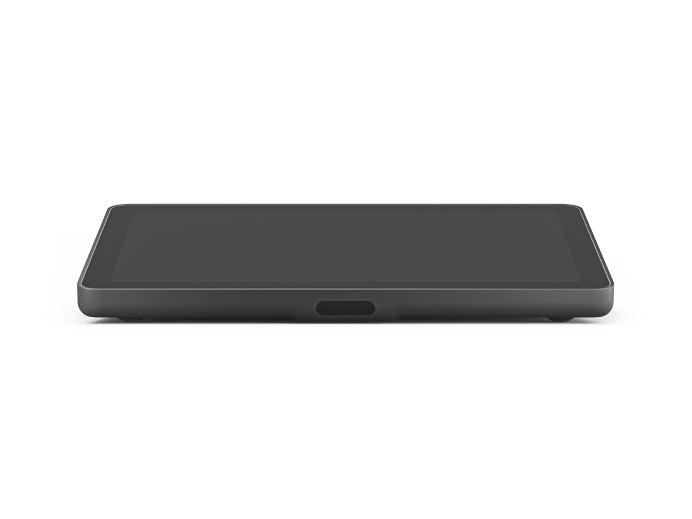
Official Logitech product imagery served from Logitech's media CDN. Product finish and regional package contents can vary.
Logitech · Room Controller · PoE
Network-connected meeting room touch controller designed for one-touch room operation with a single PoE network cable and mounting options for table, riser or wall installations.
Room planning
PoE reduces tabletop cabling and simplifies placement when the room network is designed correctly.
10.1-inch touch display provides a consistent controller surface for supported video-conferencing room platforms.
Table, riser and wall mounting options support different furniture and accessibility needs.
Works with Logitech Sync for device monitoring and room lifecycle management.
Technical reference
| Display | 10.1″ IPS LCD with LED backlight |
|---|---|
| Resolution | 1280 × 800 |
| Touch | 10-point capacitive multi-touch |
| Brightness | 400 nit |
| Contrast | 1000:1 |
| Viewing angle | 85° U/D/L/R |
| Position angle | 14° |
| Power | PoE, IEEE 802.3af Type 1 Class 3 |
| Ethernet | 10/100 Mbps |
| Wi‑Fi | 802.11a/b/g/n/ac |
| Bluetooth | 5.0 |
| VESA | 100 × 100 mm |
| Sensors | PIR motion, accelerometer, ambient-light sensor |
| Dimensions | 246.2 × 56.1 × 171.3 mm |
| Weight | 1 kg |
| Management | Logitech Sync |
| Warranty | 2-year warranty |
Applications
Continue exploring
System dependencies
A product is only one part of the deployment. Confirm the supporting components and infrastructure before final model selection or installation.
Dependency links are planning paths, not automatic compatibility claims. Exact model/SKU, interfaces, loading, firmware/software and accessories must be verified for the final project.
Room endpoint
Pair control with the selected room video architecture.
Open related area →Room endpoint
For larger/modular rooms, coordinate controller, compute, camera and audio components.
Open related area →Room architecture
Confirm network, placement, power and room workflow as part of the full design.
Open related area →Product family navigation
Return to Logitech Room Controllers, continue to the relevant solution, or open a selection guide without losing product context.
New project / active selection
Use the parent family and solution links to compare application fit. Current Malaysia availability, exact SKU, warranty terms and compatible accessories should be verified at quotation stage.
Existing installed product
Already installed? Identify the exact model and condition first, then verify lifecycle, parts/software support and the practical repair or migration path.
Open legacy & replacement support →Room design should coordinate the video bar or modular camera system with the controller, display, room audio, network, mounting, cabling and commissioning requirements.
