Reuse modular room hardware
RoomMate can add appliance-style room compute to supported Rally and MeetUp deployments.

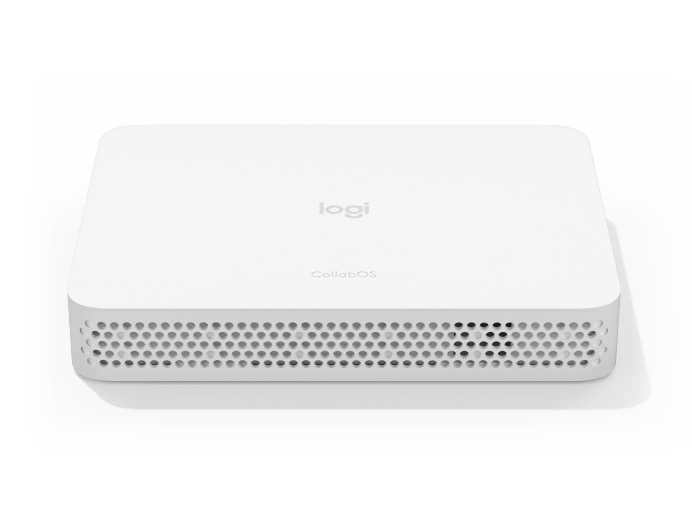
Official Logitech product imagery served from Logitech's media CDN. Product finish and regional package contents can vary.
Logitech · Room Compute · CollabOS Appliance
Purpose-built CollabOS appliance for turning supported Logitech modular conference cameras and room peripherals into appliance-based video collaboration rooms.
Room planning
RoomMate can add appliance-style room compute to supported Rally and MeetUp deployments.
Supports consistent provisioning, updates and health monitoring through Logitech Sync.
HDMI and USB connectivity supports modular camera, display and peripheral integration.
Can be mounted behind displays or in cabinets with an appropriate compute mount.
Technical reference
| Operating system | Logitech CollabOS 1.4 or higher |
|---|---|
| Device management | Logitech Sync and supported device-management platforms |
| Certified Logitech hardware | MeetUp · Rally Camera · Rally System · Rally Plus · Tap · Tap IP |
| HDMI outputs | 2 × HDMI (up to 1080p) |
| HDMI input | 1 × HDMI |
| USB | 3 × USB-A 2.0 |
| Network | 10/100/1G Ethernet |
| Wireless | Wi‑Fi 802.11a/b/g/n/ac |
| Remote control | Bluetooth Low Energy |
| Dimensions | 161 × 34.5 × 211 mm |
| Security | AES-128 full-disk encryption, PKI, device attestation, Arm TrustZone, Kensington lock |
| Digital signage | Supports selected digital-signage workflows including Appspace / Zoom Rooms Digital Signage subject to platform setup |
| Warranty | 2-year limited hardware warranty; extension subject to availability |
Applications
Continue exploring
System dependencies
A product is only one part of the deployment. Confirm the supporting components and infrastructure before final model selection or installation.
Dependency links are planning paths, not automatic compatibility claims. Exact model/SKU, interfaces, loading, firmware/software and accessories must be verified for the final project.
Control
Select the control interface that matches the room architecture.
Open related area →Expansion
Plan approved microphone/room accessories where the room requires expansion.
Open related area →Room architecture
Coordinate displays, audio, network, compute/appliance mode and installation.
Open related area →Product family navigation
Return to Logitech Modular & Room Compute, continue to the relevant solution, or open a selection guide without losing product context.
New project / active selection
Use the parent family and solution links to compare application fit. Current Malaysia availability, exact SKU, warranty terms and compatible accessories should be verified at quotation stage.
Existing installed product
Already installed? Identify the exact model and condition first, then verify lifecycle, parts/software support and the practical repair or migration path.
Open legacy & replacement support →Room design should coordinate the video bar or modular camera system with the controller, display, room audio, network, mounting, cabling and commissioning requirements.
