Image and content
Native XGA 1024 × 768 is a 4:3 image format. Match it to the actual presentation material and required text size before selecting the screen.

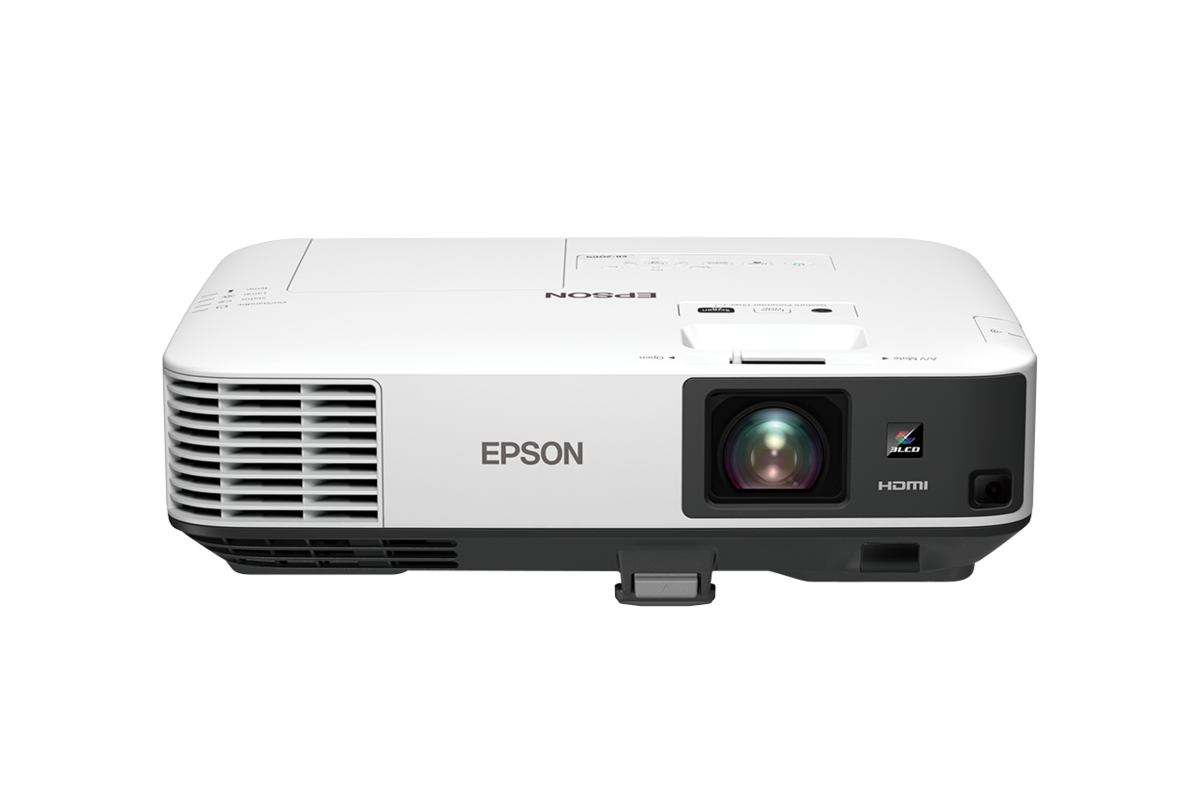
Product image published on Epson Malaysia’s EB-2065 page.
Epson projector · Malaysia supply & installation enquiries
A 5,500-lumen XGA lamp projector for business and education presentation systems. PNSS can review the image format, existing sources, screen and mounting before confirming the supply or installation scope.
For EB-2065 enquiries, PNSS can coordinate model selection, supply confirmation, screen, mounting, cabling, installation and testing.
Quick answers
Native XGA 1024 × 768 is a 4:3 image format. Match it to the actual presentation material and required text size before selecting the screen.
Two HDMI inputs, analogue inputs, wired LAN and RS-232C support source and control planning. Wireless presentation requires the optional ELPAP10 adaptor; confirm whether it is included in the quoted scope.
The official Epson family brochure lists manual zoom and focus, 1.6× optical zoom and a 1.38–2.24 throw ratio. Confirm image width, zoom position and service clearance before installation.
Epson rates lamp life at 5,000 hours in Normal mode and 10,000 hours in Eco mode. These are reference values affected by mode, usage and environment; keep lamp and filter access practical.
Technical reference
| Model | EB-2065 |
|---|---|
| Malaysia product-code reference | V11H820052 |
| Projection system | 3LCD, RGB liquid crystal shutter |
| LCD size | 0.63-inch |
| Native resolution / aspect ratio | XGA 1024 × 768 / 4:3 |
| White light output, Normal / Eco | 5,500 lm / 3,800 lm |
| Colour light output | 5,500 lm |
| Contrast-ratio reference | 15,000:1 |
| Light source | Lamp |
| Lamp-life reference, Normal / Eco | 5,000 / 10,000 hours |
| Lens / focus | Manual optical zoom / manual focus |
| Optical zoom | 1.0–1.6× |
| Throw ratio, Wide–Tele | 1.38–2.24 |
| Lens F-number | 1.51–1.99 |
| Focal length | 18.2–29.2 mm |
| Projected screen-size reference | 30–300 inches |
| Keystone correction | ±30° vertical / horizontal at centre zoom; auto V/H and Quick Corner |
| Digital input | HDMI ×2; one input is MHL-enabled for compatible MHL devices |
| Analogue inputs | D-Sub 15-pin ×2; composite ×1 |
| Analogue video output | D-Sub 15-pin ×1 |
| Audio inputs | RCA stereo pair ×1; stereo mini-jack ×2 |
| Audio output | Stereo mini-jack ×1 |
| Built-in speaker | 16 W monaural |
| Network / control | Wired LAN RJ45 ×1; RS-232C D-Sub 9-pin ×1 |
| Wireless | Optional ELPAP10 wireless LAN adaptor required |
| USB | Type-A ×1; Type-B ×1 for supported USB display/control/update functions |
| Weight | Approx. 4.4 kg |
| Fan noise, Normal / Eco | 39 / 29 dB |
| Power supply | 100–240 V AC ±10%, 50/60 Hz |
| Power consumption at 220–240 V, Normal / Eco | 425 / 323 W |
| Operating temperature | 5–40°C below 2,286 m; 5–35°C above 2,286 m with high-altitude mode |
| Operating altitude | Up to 3,048 m; high-altitude mode above 1,500 m |
Specifications are planning references from Epson Malaysia and the official Epson family brochure. Confirm the exact Malaysia product suffix, included accessories, warranty, supply status and final installation geometry before quotation.
Downloads & manufacturer references
Use these supporting Epson references alongside the specification and installation guidance on this PNSS page.
Regional family brochure covering EB-2065. Confirm Malaysia specifications and installation dimensions before final selection.
Official model information, detailed technical data and manufacturer support links.
Send the site, image size, projector position and signal requirements for a model-specific quotation.
Selection & installation
XGA resolution and high light output answer different questions. Check whether the presentation content works well in a 4:3 format, then assess image size and ambient light. An existing installation also needs a review of the ceiling position, screen, signal path and future lamp access. Confirm the chassis dimensions and mounting clearances against the supplied unit and Epson installation drawing before specifying an enclosure or bracket.
Frequently asked questions
Epson specifies native XGA 1024 × 768, a 4:3 image format. It is not a native Full HD projector.
The Epson Malaysia page and official family brochure specify optional wireless. Wireless presentation requires the ELPAP10 adaptor and a compatible device/network setup; confirm the accessory in the quotation.
The official Epson EB-2000 family brochure lists 1.38–2.24 with 1.6× manual optical zoom. Image width and the selected zoom position determine the preliminary lens-to-screen distance; final placement should use Epson’s model data.
Epson lists 5,000 hours in Normal mode and 10,000 hours in Eco mode. Actual life varies with the selected mode, use and environment, and brightness declines over time.
Send the site location, existing model where applicable, screen dimensions, lens-to-screen distance, source connections, mounting photographs and intended use. PNSS can confirm the practical scope and current Malaysia supply details.
System dependencies
A product is only one part of the deployment. Confirm the supporting components and infrastructure before final model selection or installation.
Dependency links are planning paths, not automatic compatibility claims. Exact model/SKU, interfaces, loading, firmware/software and accessories must be verified for the final project.
Image surface
Confirm size, gain/surface and room conditions.
Open related area →Physical integration
Confirm bracket/structure, alignment and safe service access.
Open related area →System design
Validate throw geometry and lens requirement where applicable, plus source/control transport.
Open related area →Product family navigation
Return to Epson Projectors, continue to the relevant solution, or open a selection guide without losing product context.
New project / active selection
Use the parent family and solution links to compare application fit. Current Malaysia availability, exact SKU, warranty terms and compatible accessories should be verified at quotation stage.
Existing installed product
Already installed? Identify the exact model and condition first, then verify lifecycle, parts/software support and the practical repair or migration path.
Open legacy & replacement support →Share the room, image size, quantity, presentation sources and project location. Confirm current Malaysia supply, exact SKU, accessories and warranty terms with PNSS before ordering.