
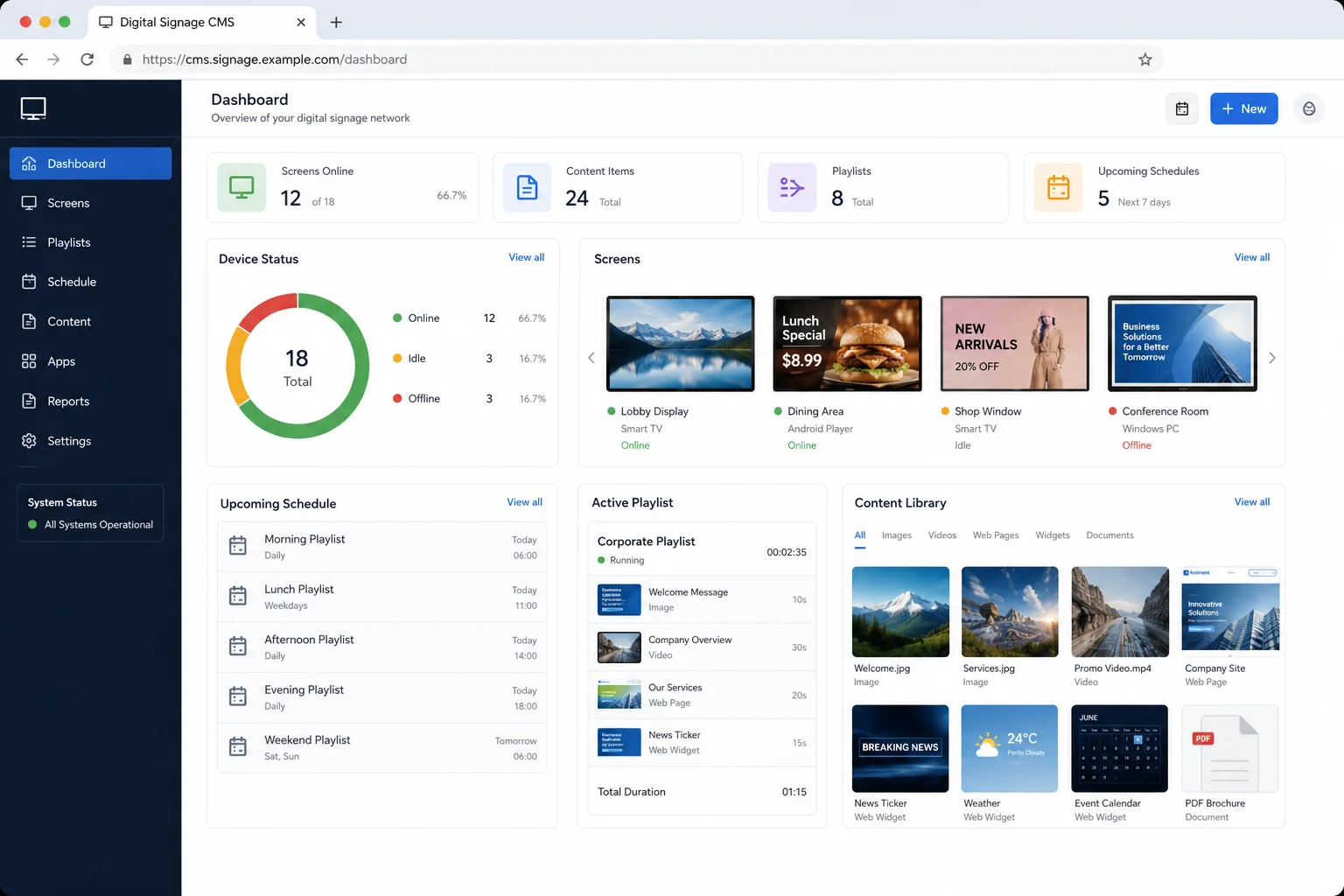
CAYIN Technology's 2026 updates show a clear move toward more secure cloud infrastructure, centralised remote administration and AI-assisted content workflows. The practical impact depends on the platform in use: GO CAYIN customers receive cloud improvements automatically, while operators of older on-premise CMS servers should review lifecycle risk and migration requirements.
1. GO CAYIN receives a major cloud infrastructure upgrade
In July 2026, CAYIN completed a core AWS infrastructure upgrade for GO CAYIN and its digital signage ecosystem. The database moved from MySQL 8.0.44 to MySQL 8.4.9 LTS, while the cloud environment moved from Amazon Linux 2 to Amazon Linux 2023.
According to CAYIN, the change strengthens security, performance and stability and creates a newer foundation for future services. Because this work was completed within CAYIN's cloud environment, existing GO CAYIN users do not need to carry out a conventional server upgrade themselves.
Read CAYIN's official GO CAYIN infrastructure notice ↗
Why the cloud upgrade matters
- Newer actively maintained database and operating-system foundations
- Improved handling of concurrent requests and growing deployments
- Stronger default security controls and continued platform maintenance
- A modern base for future digital-signage and AI capabilities
2. Remote device management from one browser
GO CAYIN's updated Device Management feature lets authorised users connect supported physical displays, assign playback sources and manage playlists through the web interface. CAYIN says the feature works without separate management software or routine on-site visits.
Supported endpoints include Android TV, Google TV, Android tablets and selected Philips TVs running CAYIN Signage Player v2.3 or later. Administrators can use overview, list and map views to see registered devices, connection status, playback previews and content assignment.
For multi-branch organisations, campuses, retail locations, hospitality and public-information networks, this can reduce the operational effort needed to keep every screen current.
Read CAYIN's official Device Management announcement ↗ · View CAYIN Signage Player →
3. Final firmware for five legacy CAYIN CMS configurations
On 31 August 2026, CAYIN confirmed the last supported firmware for five legacy server configurations across CMS-WS, CMS-SE, CMS-60 and CMS-20. These systems can continue operating in their existing configuration, but new patches and features are now directed to CAYIN's current Ubuntu 22.04 platform.
- CMS-WS on Ubuntu 18.04: firmware 1.0 build 26198, service pack 8
- CMS-SE on Ubuntu 18.04: firmware 11.0 build 26198, service pack 11
- CMS-SE on Ubuntu 16.04: firmware 11.0 build 26198, service pack 11
- CMS-60: firmware 11.0 build 26198, service pack 11
- CMS-20: firmware 11.0 build 26198, service pack 11
Read CAYIN's official legacy CMS firmware notice ↗ · Explore CAYIN CMS server references →
4. Moving to Ubuntu 22.04 requires a planned fresh installation
CAYIN states that the move from an affected legacy build to the current platform is not an incremental update. The CMS server needs a fresh Ubuntu 22.04 installation on new or existing hardware. CAYIN also identifies a loyalty upgrade programme that customers can discuss with their authorised sales contact.
Before changing a production system, review:
- Current CMS model, operating system, firmware and licence entitlement
- Player inventory, firmware and CMS compatibility
- Content, templates, fonts, playlists and schedule backups
- User accounts, permissions, authentication and approval workflows
- Network settings, storage, integrations and remote endpoints
- Migration window, testing, user acceptance and rollback requirements
Do not wait for an old server failure before identifying the migration path. A controlled review gives the organisation time to decide whether to continue operating the legacy environment, migrate in stages or redesign the wider signage architecture.
5. QNAP Media Viewer transition and AI-assisted signage tools
CAYIN Media Viewer is succeeding MediaSign Player for QNAP NAS environments ahead of QTS 6.0. CAYIN states that Media Viewer v1.7 supports existing MediaSign Player Plus licences, while installation and settings migration remain separate manual steps. Organisations should therefore check application compatibility before upgrading QTS.
Read the official CAYIN and QNAP transition notice ↗
CAYIN has also introduced Text-to-Image generation, Image-to-Text copy assistance and Multilingual AI Alerts across parts of its SMP, CMS-WS and CMS-SE ecosystem. These tools can reduce repetitive content-production work, although public, emergency and brand communication should still pass through human review.
Read CAYIN's official AI tools announcement ↗ · Browse CAYIN SMP players →
What should existing CAYIN customers in Malaysia do now?
- Identify the platform. Confirm the CMS model, operating system, firmware, players and licences.
- Check lifecycle status. Establish whether the server is one of the five affected legacy configurations.
- Assess operational risk. Consider cybersecurity, business criticality, spare hardware, integrations and expected system life.
- Plan before migrating. Prepare compatibility checks, backup, installation, testing, training and cutover procedures.
PNSS Tech provides CAYIN digital signage consultation, integration, deployment and lifecycle support in Malaysia, including existing environment reviews, CMS and player identification, migration planning, installation, commissioning and administrator training. See our Commercial Display & Digital Signage solutions or the CAYIN system guide.
Frequently asked questions
What is GO CAYIN?
GO CAYIN is CAYIN Technology's cloud digital signage platform for creating, scheduling, publishing and remotely managing content and supported display endpoints through a browser.
Can GO CAYIN manage digital signage devices remotely?
Yes. Its Device Management feature allows supported devices and playlist playback to be managed through the GO CAYIN web interface.
Are CAYIN CMS-WS and CMS-SE discontinued?
No. Current CMS-WS and CMS-SE platforms continue to be developed on Ubuntu 22.04. The final-firmware announcement applies only to five specified legacy configurations based on Ubuntu 16.04 or Ubuntu 18.04.
Can legacy CAYIN CMS systems continue working?
Yes. CAYIN says affected systems can continue operating in their existing configuration, although those builds have reached their last supported firmware.
Can a legacy CAYIN CMS server be upgraded directly to Ubuntu 22.04?
No conventional incremental update is available. CAYIN states that moving to the current Ubuntu 22.04 platform requires a fresh installation on new or existing hardware.
Who supports CAYIN digital signage in Malaysia?
PNSS Tech provides CAYIN digital signage consultation, system integration, deployment, migration planning, maintenance and lifecycle support in Malaysia. Compatibility, licensing and the correct architecture are confirmed for each project.
