Return automation
Automates check-in and sorting so returned items can move toward the correct staff workflow more quickly.

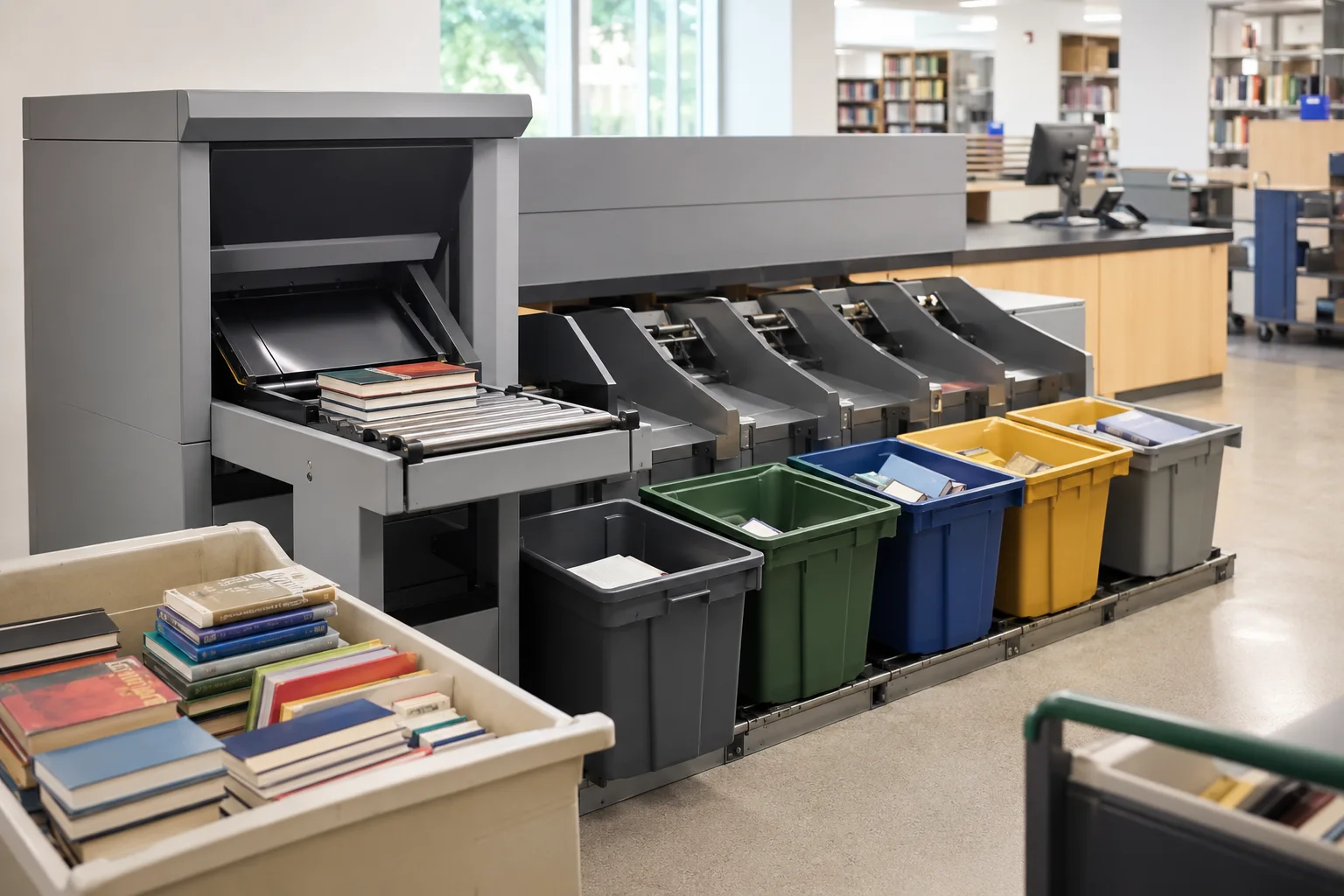
PNSS automated library return/sorting application visual. Exact flexAMH layout is project-specific.
Bibliotheca · Automated Materials Handling
Automated materials handling for libraries that need faster returns, automated check-in and configurable sorting while reducing repetitive staff handling.
Selection guidance
Automates check-in and sorting so returned items can move toward the correct staff workflow more quickly.
The updated range is designed to be configured, installed and reconfigured around library requirements.
flex bulkSeparator supports drop-and-go handling of multiple returned items.
Reduces repetitive manual sorting and helps staff return items to shelves sooner.
Technical reference
| System type | Automated materials handling / return sorting |
|---|---|
| Core family | flexAMH |
| Related modules | flex bulkSeparator · flex bookDrop · autoBin / sorting modules |
| Current positioning | Faster, quieter, more flexible and smaller-footprint updated range |
| Design dependency | Number of bins, sort destinations, return points and transport path are project-specific |
Applications
Continue exploring
System dependencies
A product is only one part of the deployment. Confirm the supporting components and infrastructure before final model selection or installation.
Dependency links are planning paths, not automatic compatibility claims. Exact model/SKU, interfaces, loading, firmware/software and accessories must be verified for the final project.
Circulation
Coordinate returns with borrowing/self-service workflow.
Open related area →Integration
Confirm LMS/SIP/API and item-routing integration.
Open related area →System design
Plan return points, sorting, staff workflow and patron flow together.
Open related area →Product family navigation
Return to Return & Sorting, continue to the relevant solution, or open a selection guide without losing product context.
New project / active selection
Use the parent family and solution links to compare application fit. Current Malaysia availability, exact SKU, warranty terms and compatible accessories should be verified at quotation stage.
Existing installed product
Already installed? Identify the exact model and condition first, then verify lifecycle, parts/software support and the practical repair or migration path.
Open legacy & replacement support →The final equipment schedule should be based on the application, interfaces, system topology, site conditions and support requirements.
